เพียงคลิกเดียวก็สามารถปรับภาพให้ดูดีได้ ใช้งานง่ายมาก ๆ เป็นภาษาจีนนะ แต่ไม่ต้องกังวล เพราะมันจะมีฟังชั่นตัวอย่างให้ดู และบอกวิธีใช้ มีรูปภาพตัวอย่าง แค่กดเลือกฟังชั่นที่เราต้องการ ไม่ต้องปรับอะไรมากมาย ลบสิว ทำตาโต ใส่คอนเทคเลน ทำสีผม ปรับสีผิว รอยสัก ทำภาพ instagramแบบiphone และอื่น ๆ อีกมากมาย
แสดงบทความที่มีป้ายกำกับ Audio - Sound - Studio - Picture แสดงบทความทั้งหมด
24.12.54
21.11.54
[MF] VRAY 2.00.03 MAX 2012 X86-64
Chaos Group announced a new version of the most popular among designers Render V-Ray 2.0. The next version not only features a large number of new features and enhancements, but also contains a V-Ray RT – instrument interactive rendering of Chaos Group, with its GPU version.
Ultimately, the user gets a powerful and effective combination of the final rendering V-Ray for 3ds Max, plus V-Ray RT CPU and V-Ray RT on the GPU, which has become a complete package for the creation of any 3D production.
List of changes since 2.00.03:
Modified features:
- The V-Ray RT render server prints out some more information in GPU mode (useful for troubleshooting);
- Added access to the V-Ray material override exclude list from MaxScript;
- Support for the four FumeFX render elements;
Bug fixes:
- Noise with “Clamp output” option enabled;
- Hilights from the base reflection layer of VRayCarPaintMtl material were darker than they should be;
- Slow rendering with many overlapping VRayProxy primitives;
- Randomly missing gizmos when rendering VRayEnvironmentFog;
- VRayLights that exclude an object could still affect that object through GI;
- Rendering with GI may use more detailed texture mip-map levels than necessary;
- VRayHDRI may not respect the specified memory limit for tiled textures;
- V-Ray RT: Objects could disappear in animation;
- V-Ray RT: When used as production renderer, animation of deforming objects is ignored
Bit depth : x86/x64
Compatibility with Vista / 7 : complete
Language : English
System requirements : Win XP/Vista/7 x32/x64
3DS Max 2012 x86/x64
3DS Max Design 2012 x86/x64
Size : 126 Mb
Download Now
Password : softmediafire
18.11.54
Adobe After Effects CS4 [MF]
Create motion graphics and visual effects with the industry standard.
With Adobe After EffectsCS4 software, you can create compelling motion graphics
and blockbuster visual effects with flexible tools that help save you time and
deliver unparalleled creative power.
Timelines are searchable
Use QuickSearch to instantly locate any element or even missing footage in a comp
or project; navigate quickly between nested comps using the new Mini-Flowchart.
After Effects can import 3D layers from Photoshop
Import 3D models from Adobe Photoshop CS4, and then bring them into After Effects
to composite them with other elements, adjust lighting, and more.
After Effects is part of an end-to-end solution
Adobe provides end-to-end software solutions to deliver compelling experiences on
film, video, DVD, the web, and mobile devices.
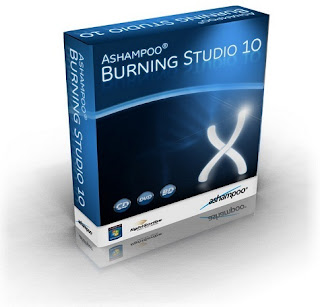
ASHAMPOO BURNING STUDIO 10 FULL [MF]
Ashampoo Burning Studio is a complete burning suite that includes all the tools you need to burn CD, DVD and Blu-ray discs in your computer.The good thing about Ashampoo Burning Studio is that it offers a rich variety of tools to burn data, backup files, create movie and photo slideshows and print labels and covers, while maintaining great usability thanks to a well-organized menu. All you have to do is browse the menu on the left of the interface, select the appropriate task and Ashampoo Burning Studio will open the corresponding tool in a new window.
15.11.54
Universal Barcode Maker 6.6.7
If you need to over print a barcode on existing forms, shipping labels, invoices, reports, etc. Universal Barcode Maker can satisfy your requirement, just need a few quick mouse motions to set the print position, you can print barcodes on any existing forms.
lets you make your own bar codes and export them to other windows applications. Its also lets you run it from a command line with a text file input, it can scan for a specific line and a barcode to it and print out the file with the Universal Barcode Maker 6.6.7
LIGHTWAVE 3D 10 32BIT & 64BIT
These days, with the creative process, artists need to move at maximum speed in order to tackle incredible deadlines, demanding work and high expectations. Using LightWave™, either exclusively or in a pipeline, makes it possible for an individual, a small team or a major facility to see their dreams and ideas come to life, with award-winning quality work, on time and on budget. LightWave artists all over the world say they can count on it for speed, flexibility, value and control. LightWave is a complete 3D solution to model, render and animate. Used extensively in broadcast television production, film visual effects, video game development, print graphics and visualization, LightWave is responsible for more artists winning Emmy® Awards than any other 3D application.
LightWave is a complete 3D solution to model, render and animate. Used extensively in broadcast television production, film visual effects, video game development, print graphics and visualization, LightWave is responsible for more artists winning Emmy® Awards than any other 3D application.
Download Lightwave 3D 10.32bit
Download Lightwave 3D 10.64bit
ULEAD COOL 3D STUDIO PRO
Ulead COOL 3D Production Studio is a new breed of 3D animation software for high-quality video production. Streamline your 3D text and graphics with advanced tools to produce professional-looking animation.
Sophisticated 3D Objects
Design sophisticated 3D text and objects with intuitive tools. You can use pre-made shapes and styles or create them by scratch. COOL 3D Production Studio imports the most popular 2D and 3D file formats.
Powerful Effects & Animation Control
Drag and drop hundreds of customizable backdrops and animation effects. Apply video backgrounds and add audio to your creations. Use magic, natural texture and particle effects for dynamic-looking animations.
Professional Output
COOL 3D Production Studio exports files out to a variety of formats -- video files, alpha-channel video overlays, Web animations, images, and 3D models. You can also import a COOL 3D Production Studio project file into Ulead video editors' timelines.
STUDIO V5 LOGO MAKER 2.0
Studio V5 LogoMaker – the program is an innovative and convenient product that allows you to design professional business logos, create advertisements, design nice page headers for a web site and other identifying graphic symbols in minutes.Convenient features include hundreds of fully modifiable logo templates and objects categorized by industry and interest, high-quality graphical tool, creative tools and special effects. The program does not require any knowledge in the use of any graphics application! Modifying or importing images, shapes, graphic objects and text, each professionally designed logo included the software – able to produce thousands of unique results within minutes.
Product Features:
– Over 1500 professionally designed and fully modifiable logo templates categorized
– Over 6000 objects and shapes for making logos.
– Easy to use interface, drag & drop, graphical engine for image and text manipulation: scale, rotation, alignment, grouping, editing, layers, etc.
– Vector graphics editor to create and customize their own forms.
– Over 50 effects for text editing, such as shadows, transparency, brightness, Blur, Gradient, etc.
– Plug-ins for adding special effects such as Jitter, Pixelate, Sharp, Water etc.
– Opportunities for creating 3D text and shapes
– Over one-click effects, the use of mirrors, plastic, depth, glow, metallic, relief, etc.
– Full-screen editing
– Export to PDF, JPG, TIF and other formats
– The kit includes professional, creative and design fonts
– Built-in Internet browser for new objects, templates, fonts, pictures, etc.
– 40000 free fonts, 100,000 free pictures, etc.
MANGA STUDIO EX 4 FREE DOWNLOAD
การ์ตูนสตูดิโอ EX 4.0 เป็นโซลูชั่นระดับมืออาชีพสำหรับการสร้างการ์ตูนและการสร้างโลกซอฟต์แวร์ชั้นนำของ Comics.The การ์ตูนและการ์ตูน, การ์ตูนสตูดิโอ EX 4.0 ให้วาดขอบตัดที่มีประสิทธิภาพและเครื่องมือในการระบายสีทำให้มันจำเป็นสำหรับการ์ตูนมืออาชีพและศิลปินมังงะ
* Choose from over 3,000 screen tones or create your own.
* Resize with no loss in quality by converting your bitmap drawings to resolution-independent vector images.
* Export to a wide variety of formats such as bmp, jpeg, png, psd, tga, eps (monochrome only), tiff, pdf and pict (Mac only).
* Draw naturally with a pen tablet and recreate the sensation of drawing on paper offering an incredibly natural drawing experience.
* Simplify your layout and design process with easy to use features such as a variety of built-in rulers that save you time.
* Color artwork using the integrated tool set enabling you to mix and blend for custom color work.
* Convert 2D images to line and tone data by using the 2DLT Rendering function.
* Import 3D objects and easily transform them into tone and line drawings by using the 3DLT rendering function.
* Add speed line and focus line effects in seconds to express motion or moods.
* Work with precision using unlimited layers.
* Select from a suite of advanced filters to quickly apply distortions and special effects to your artwork.
New and Updated Features :
* NEW! Professional Color Set.
Choose from literally millions of colors and create your own color sets. Includes dodge, burn and color blend tools.
* NEW! Vector Toolkit.
Speed up production using the built-in vector tools such as "Show Center Line" which makes spotting trouble vector areas in need of smoothing, a breeze.
* NEW! Professional Filter Set.
Manga Studio EX now offers a suite of advanced creative filters. Quickly distort images, adjust hue and saturation, or add rain and sparkle effects to your artwork.
* NEW! Story Editor.
Enter and edit the text for your entire story and distribute across pages using the Story Editor in Manga Studio EX.
* NEW! Advanced Text Input.
Manga Studio EX now allows you to enter text directly on your page using a standard text tool. You can also quickly add special characters and with support for many characters such as Katakana and Hiragana.
* NEW! Mesh Transformation.
Use the new Mesh Transform tool to modify screen tones to better showcase clothing textures by giving them a wrapping appearance.
* NEW! Special Rulers.
Choose from a variety of rulers, including symmetry rulers, radial line rulers and concentric circle rulers that speed up production.
* UPDATED! Additional 3D Objects.
Manga Studio EX comes with over 550 built-in 3D Objects. Quickly, position, rotate and adjust them on your page. Convert them to line and tone data and use them as backgrounds and props for your drawings.
* UPDATED! More export formats.
In addition to the existing bmp, jpeg, png, psd and tga formats, Manga Studio 4.0 now offers the ability to export your artwork as tiff, eps (monochrome only), pdf and pict (Mac only) format.
* UPDATED! Additional Word Balloons.
Add word balloons with ease by dragging and dropping any of over one hundred preset, editable word balloons. Freely adjust the font, size, style and spacing of the text and add a curved or straight tail.
* UPDATED! Extra Pattern Brushes.
Choose from 80+ customizable pattern brushes. Adjust the size, color and angle quickly using the sliders to create an almost unlimited number of unique effects.
*Install Notes*
- Unrar the files
- Burn or mount the Image with your favorite Tool
- Start Setup and install
- Register with the serial from \CYGiSO\serial.txt Mediafire:
IMSI ANIMATIONLAB.V.4.4
ซอฟท์แว IMSI / ออกแบบ AnimationLab เป็นโมดูลสำหรับแพลตฟอร์มที่ TURBOCAD Deluxeis Professional และ TURBOCAD ที่ช่วยให้การใช้สื่อที่เป็นสตูดิโอส่วนตัว TURBOCAD เพื่อสร้างภาพเคลื่อนไหว AnimationLab การสร้างภาพเคลื่อนไหวในรูปแบบ GIF, แก้ไขวัตถุในสองและสภาพแวดล้อมสามมิติภาพเคลื่อนไหวของวัตถุที่แตกต่างกันภายในตัวจัดการข้อ จำกัด
การดำเนินการในการแก้ปัญหาของศูนย์ Montage เป็นเครื่องมือที่มีอิสระสำหรับ AVI การประมวลผลที่ช่วยให้ดีขึ้น AnimationLab วัตถุที่สร้างขึ้น คุณสามารถแก้ไขไฟล์ AVI ใด ๆ หรือการสร้างไฟล์เพื่อ AVI, การแทรกและลบโครงสร้างของแต่ละบุคคลหรือชุดของโครงสร้างโดยใช้ BMP, JPG, GIF, ICO, WMF ไฟล์และ EMF, เพิ่มแทร็คเสียงใน AVI, JPG, หรือใช้ไฟล์ BMP เป็น พื้นหลังเติมพวกเขาที่มีสีหรือการตั้งค่าความโปร่งใส
AnimationLab เคลื่อนไหวภาพที่ความเร็วสูงผ่านการทำงานร่วมกับ TURBOCAD องค์ประกอบจานไฟล์ให้เป็นไฟล์ระบบการจัดการที่ง่าย มองผ่านเนื้อหาข้อมูลในอินเตอร์เฟซของ Windows ที่ผู้ใช้ยังสามารถจัดการไฟล์ของคุณได้โดยตรงจาก TURBOCAD เดสก์ทอปของคุณ กับ AnimationLab สามารถกำหนดรายการของไฟล์ที่ TCW
ศูนย์การตัดต่อ
ศูนย์ตัดเป็นแบบสแตนด์อโลนยูทิลิตี้ในการประมวลผล AVI ที่ช่วยให้คุณสามารถปรับแต่ง AnimationLab สร้างสรรค์ของคุณ คุณยังสามารถแก้ไขไฟล์ AVI ใด ๆ ที่คุณมีหรือสร้างไฟล์ AVI จากรอยขีดข่วน แทรกหรือลบเฟรมของแต่ละบุคคลหรือชุดของเฟรมโดยใช้ BMP, JPG, GIF, ICO, WMF และไฟล์ EMF
ประกบกัน AVI ไฟล์ร่วมกัน
การเพิ่มเสียงเพื่อ AVIs
บันทึกกรอบของ AVIs เป็นไฟล์ BMP แยกต่างหาก
ระบุไฟล์ JPG หรือ BMP เป็นพื้นหลังหรือเติมด้วยสีหรือความโปร่งใสการตั้งค่าหรือชื่ออื่น ๆ
สร้างภาพยนตร์ AVI บีบอัดที่มีคุณภาพและกำหนดขนาดของภาพ
โหมดการแสดงตัวอย่างให้เป็นไปได้เพื่อดูกรอบที่แยกต่างหากที่เป็นภาพยนตร์ในอนาคตทั้งหมด
JAMVIDEOSOFT MEDIA CONVERT MASTER 10.0.2.56
Media Convert Master is a professional video converter, you can convert your video and audio files from one format to another. It supports multiform convert formats including AVI, MP4, 3GP, MPEG, MOV, WMV, RM, SWF, AAC, AC3, MP2, MP3, AMR, WAV, VOB and ASF. It is extremely professional converting software with fast conversion speed and high quality. It can let users enjoy their video converting.
Try Media Convert Master now! You will find it's a fast, convenient and useful program!
Media Convert Master is designed to convert video for your mobile video player as Apple iPod, Apple iPhone, Apple TV, Google Android, Mobile MP4, Sony PS3, Sony PSP, Sony WalkMan, HD Video.
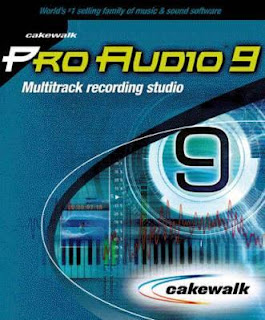
CAKEWALK PRO AUDIO V9.0
Cakewalk Pro Audio v9.0 is a professional music and sound production tool for composing, recording, editing, processing and mixing multitrack MIDI and audio projects.Cakewalk’s features include:A huge variety of audio effectsThe ability to create custom presets,Integrated pitch-shifting and time-stretching,The ability to transform audio to MIDI,Powerful music notation functions,Guitar tablature editing and printing with synchronized, real-time fretboard display.The ability to create your own custom control interfaces for any MIDI device, a variety of views for Creating and working with music.The ability to export audio to MP3, RealSystem G2, and Windows Media Advanced Streaming FormatSupport for AudioX-compatible cards.
DJ Audio Editor
DJ Audio Editor is easy-to-use and well-organized audio application which allows you to perform various operations with audio data. You can create and edit audio files professionally, by having ability to apply dozens of amazing effects to audio files such as Amplify, Add Noise, Delay, Flanger, Chorus, Reverb, Invert, Reverse, Fade In/Out, Vibrato, Compressor, Normalize, Expander, Phaser, Time Stretch and Pitch Shift with ability to change all parameters to make your unique effect.
The widely covered input audio formats and a set of amazing filters allow you to add endless innovation to music creating and design, and also displaying a waveform or spectral image of audio file makes your work faster. Finally save your audio file to various output formats including MP3, OGG, WAV, WMA, AAC, AC3, AIFF, FLAC, RA, AU, M4A, MP2, AVI, MPG, FLV, SWF and make it playable every where.
DJ Audio Editor Features:
- Open, create, edit and save audio files.
- Display a waveform or spectral window of an audio file and apply zooming.
- Save output files to various audio formats including MP3, OGG, WAV, WMA, AAC, AC3, AIFF, FLAC, RA, AU, M4A, MP2, AVI, MPG, FLV, SWF.
- Play whole audio file or any part of it.
- Visually edit an audio file (Cut, Copy, Paste, Paste From File, Paste Mix, Paste Mix from File).
- Include powerful filters on audio files (Low/High/Band Pass, Notch Filter, Low/High Shelf, Peak EQ Filter).
- Apply various effects such as Amplify, Add Noise, Delay, Flanger, Chorus, Reverb, Invert, Reverse, Fade In/Out, Vibrato, Compressor, Normalize, Expander, Phaser, Time Stretch, Pitch Shift.
- Ability to change all parameters of effects and filters to make your unique ones.
- Use marker to locate the selected part or special part of the audio data.
- Keep history events and allows you to Undo/Redo.
- Free update for any new version.
SONY PHOTO GO 1.0B BUILD 103 PORTABLE
เวลาของคุณมีค่าเป็นรูปถ่ายที่คุณซอฟแวร์ shoot.Photo ไปช่วยให้คุณจัดการกับอินเตอร์เฟซที่เรียบง่ายใช้งานง่ายและเครื่องมือในการแก้ไขสิ่งสำคัญที่ทำให้สนุกและการจัดการภาพปวดหัวฟรี ได้อย่างง่ายดายนำเข้าจัดระเบียบและแก้ไขภาพของคุณไปเก็บความทรงจำของพวกเขา คุณยังสามารถเรียนรู้ตามที่คุณไปกับประโยชน์โต้ตอบ tutorials แนะนำคุณผ่านขั้นตอนโปรแกรมตามขั้นตอน
องค์กรภาพที่สมบูรณ์ได้ในพริบตา
หากภาพถ่ายดิจิตอลของคอลเลกชันของคุณเจริญเติบโตออกจากการควบคุมซอฟแวร์ไปถ่ายภาพสามารถช่วยให้คุณจัดการทุกอย่างในทางที่เหมาะกับคุณ รูปถ่ายไปโดยอัตโนมัติการนำเข้ารูปภาพจากกล้องดิจิตอลและพบภาพของคุณจะถูกเก็บไว้บนคอมพิวเตอร์ของคุณเพื่อให้คุณสามารถดูแก้ไขแท็กและจัดระเบียบภาพถ่ายของคุณคุณมีความสะดวกในการประยุกต์ใช้
ค้นหาภาพถ่ายได้อย่างรวดเร็ว
ซอฟแวร์ไปถ่ายภาพทุกชนิดของภาพโดยเวลาวันที่และคุณลักษณะ แท็กภาพถ่ายของคุณด้วยคำที่ต้องการค้นหา helpyou และได้รับภาพของคุณได้อย่างง่ายดาย
เพิ่มผลที่มีผลกระทบ
การสร้างข้อความได้อย่างรวดเร็วโดยการแปลงไฟล์ภาพเป็นสีดำและสีขาวหรือสีซีเปียเชิงลบ หรือใช้ผลกระทบมากขึ้นในการมองภาพของคุณจากหนังสือพิมพ์เก่าหรือสกุลเงินที่
การแก้ไขภาพในคลิก
ซอฟแวร์รูปถ่ายไปจะช่วยให้คุณได้อย่างง่ายดายแก้ไขภาพทั่วไป พืชลบตาแดง, แก้ไขความคมชัดและสีและความเข้มของแสงกับปุ่ม
การกำหนดค่าระบบ
Microsoft ® Windows ® XP SP2, Windows Vista ™, หรือ Windows 7
โปรเซสเซอร์ 1 GHz
200 MB พื้นที่ฮาร์ดดิสก์สำหรับการติดตั้งโปรแกรม
แรม 512 MB
ไดรฟ์ DVD - ROM (สำหรับการติดตั้งหรือนำเข้าจาก DVD)
Microsoft DirectX ® 9.0c หรือสูงกว่า (รวมอยู่ในแผ่นดิสก์ที่ใช้งาน)
Internet Explorer 5.1 หรือสูงกว่า (รวมอยู่ในแผ่นดิสก์ที่ใช้งาน)
โปรแกรม QuickTime 7.1 (for. mov,. Qt และ. สนับสนุนไฟล์ TIF)
Download Now
Pass
ARCSOFT AUDIO DECODER PACK 1.1.0.8
ArcSoft Audio Decoder Pack It’s important to note that changing a filter’s merit probably won’t have an immediate effect. At the very least you will need to exit and re-launch it to see a difference, but in many cases it is necessary to log off before the change will register.
Occasionally, adjust the decoder’s merit doesn’t fix the problem; and here’s where adjusting merit gets complicated. Where there is a media type incompatibility between a filter earlier in the chain (generally the demultiplexer / splitter) and the decoder, the change really needs to be made to that filter instead.
As an example, I have PowerDVD 7 and ArcSoft TME installed on my extender PC which uses Intel G45HD graphics. In order to get smooth playback for H.264 and VC-1 content, I need to split between the two application's filters to get hardware acceleration (HWA) to work properly (ArcSoft’s H.264 decoder doesn’t do HWA on G45HD; and Cyberlink’s VC-1 decoder produces jerky playback, even when HWA is working, on all my PCs). There are a couple complicating factors taking the simple approach; first ArcSoft’s video decoder is an all-in-one filter (i.e. one filter decodes H.264, MPEG-2, VC-1) so we can’t modify the filter’s merit too low or it won’t join the graph when we need it, and second the ArcSoft decoder won’t connect to the Cyberlink demulipexer or vice versa. Getting the Cyberlink H.264 filter to always take preference was easy, set the merit to MERIT_PREFERRED and it worked every time. Leaving the ArcSoft’s merit alone (MERIT_NORMAL) and setting the Cyberlink VC-1 decoder to MERIT_UNLIKELY did not solve the issue because Cyberlink’s demultipexer had a merit above MERIT_NORMAL, and the ArcSoft demulitplexer was marked with MERIT_UNLIKELY. The solution in this case was to set the two demulitplexer’s merit equal (I went with MERIT_NORMAL), and setting the Cyberlink VC-1 decoder to MERIT_DO_NOT_USE.
Getting everything right does take some trial and error, so don't get frustrated when it doesn't work the first time out (having to log off/on does make it any less frustrating :)).
14.11.54
TEACH ME PIANO DELUXE LESSONS สอนเล่น Piano
สอนตัวเองการเล่นเปียโน : Deluxe Edition เป็นหลักสูตรเริ่มต้นที่สมบูรณ์ในเปียโนเหมาะสำหรับผู้ที่มีประสบการณ์ก่อนไม่มี มัน adopts รูปแบบของผลิตภัณฑ์ที่คล้ายกันหลายที่รวมค่าเล่าเรียนวิดีโอ, เครื่องเล่นเพลงแบบโต้ตอบและการออกกำลังกายและชิ้นส่วนในการพัฒนารูปแบบและเทคนิคของคุณ นอกจากนี้ยังได้รับการออกแบบอย่างสังหรณ์ใจและดีกับทุกคุณสมบัติพื้นฐานที่คุณจะต้องเริ่มต้นการเดินทางของคุณ pianistic นอกจากทั้งหมดนี้จะมาในราคาที่ต่ำอย่างน่าประทับใจ!
สอนตัวเองการเล่นเปียโน : Deluxe Edition คือมาถึงคุณโดยอัลเฟรดประกาศเผยแพร่คำสั่งของหนังสือเพลงที่เคารพนับถือมานานหลายปี ด้วยเหตุนี้คุณสามารถทราบว่าการเรียนการสอนที่คุณได้รับเป็นไปได้ของที่มีคุณภาพสูง, การพัฒนาและปรับปรุงผ่านปีของประสบการณ์ แต่นี้ยังหมายความว่าโฟกัสอยู่บนเปียโนการเรียนการสอนมากกว่าการให้บริการซอฟท์แวฉูดฉาดและอเนกประสงค์ เมื่อเทียบกับผลิตภัณฑ์ที่คล้ายกันสอนตัวเองการเล่นเปียโนโบนัสขาดคุณสมบัติเช่นความสามารถในองค์ประกอบหรือคลังเพลงขนาดใหญ่หรือเพลงห้องสมุดที่กว้างขวางอ้างอิง ถ้าหากคุณต้องการคือการแนะนำให้พื้นฐานของการเล่นเปียโนซอฟแวร์นี้ควรจะปรับ แต่ถ้าคุณต้องการได้รับประโยชน์จากการใช้จ่ายเล็กน้อยพิเศษและสามารถจ่ายได้จะคุ้มค่าอย่างแน่นอนมองหาที่เปียโนยอดนิยม 10 ความคิดเห็นของเรา
ซอฟแวร์ที่ให้ดินอย่างละเอียดมากในหลักการพื้นฐานที่จะช่วยในการเร่งการเรียนเปียโนเช่นจังหวะและคอร์ดของคุณ นอกจากนี้ยังสร้างบรรยากาศที่คุณสามารถพัฒนาเทคนิคซึ่งจะเป็นสิ่งสำคัญโดยเฉพาะถ้าคุณวางแผนที่จะใช้การเล่นของคุณไปยังเวทีกลางหรือขั้นสูงของคุณ ตัวอย่างเช่นการออกกำลังกายนิ้วมือและหูการฝึกอบรมที่มีสิ่งอำนวยความสะดวกที่มีประโยชน์ที่ไม่สามารถพบได้ในซอฟแวร์ที่คล้ายกันทั้งหมด แต่ดนตรีที่โปรแกรมจะค่อนข้างอนุรักษ์นิยม โปรแกรมบางโปรแกรมที่มีค่าเล่าเรียนที่เฉพาะเจาะจงและอย่างกว้างขวางในปฏิภาณโวหาร, blues, ศิลปะของการประกอบและการเล่นในวงและสาขาอื่น ๆ ของเพลง คุณยังไม่ได้ไปหาอะไรเช่นนี้ที่นี่; แทนโฟกัสอยู่บนเตรียมคุณมีทักษะที่จำเป็นอย่างยิ่งเพื่อให้คุณสามารถดำเนินการกับการเรียนรู้ของคุณและเล่นด้วยตัวเอง
สิ่งที่อาจดึงดูดผู้เล่นจำนวนมากที่จะสอนตัวเองการเล่นเปียโน : Deluxe Edition คือว่ามันไม่ได้เป็นสัดส่วนที่มากของซอฟต์แวร์ที่คล้ายกันไม่จำเป็นต้องให้คุณป้อนข้อมูลแป้นพิมพ์ MIDI นี้สามารถประหยัดเงินที่คุณจะสามารถใช้แป้นพิมพ์ใด ๆ หรือเปียโนที่คุณมีอยู่แล้วและคุณจะไม่ต้องกังวลเกี่ยวกับการเชื่อมต่อแป้นพิมพ์ของคุณด้วยสายเคเบิลที่ถูกต้องหรือเกี่ยวกับปัญหาของการทำงานร่วมกันที่มักจะเกิดขึ้นเมื่อตั้งค่าฮาร์ดแวร์ที่ซับซ้อน ระบบ แต่คุณยังจะต้องทราบว่าซอฟต์แวร์นี้จะไม่ให้คุณกับใด ๆ ของคุณสมบัติที่คุณจะได้รับหากคุณมีการเรียงลำดับของการตั้งค่านี้ สอนตัวเองการเล่นเปียโนจะไม่ได้ประเมินผลการเล่นของคุณหรือให้คุณให้คะแนนความถูกต้องและดังนั้นจึงไม่สามารถติดตามความคืบหน้าของคุณ คุณต้องตัดสินด้วยตัวคุณเองถ้าคุณกำลังเล่นบางสิ่งบางอย่างได้อย่างถูกต้องกับการติดตามการสำรองข้อมูลที่ให้ไว้ ซอฟต์แวร์ที่ไม่ได้ไปไกลเกินกว่าบางในช่วยให้คุณสามารถบันทึกสิ่งที่จริงคุณกำลังเล่นลงในโปรแกรม แต่การทำเช่นนี้คุณจะต้องซื้อและการติดตั้งไมโครโฟนที่ค่าใช้จ่ายเพิ่มเติมและความไม่สะดวก
เราจะแนะนำให้สอนตัวเองการเล่นเปียโน : Edition ดีลักซ์สำหรับผู้ที่ต้องการรู้เบื้องต้นเกี่ยวกับเปียโน แต่ไม่ต้องการที่จะใช้จ่ายเงินจำนวนมาก นอกจากนี้ยังจะเหมาะสำหรับคนที่มีประสบการณ์การเล่นเครื่องดนตรีอื่นหรือที่มีบางความรู้เกี่ยวกับดนตรีแล้ว โปรแกรมที่สามารถถูกใช้โดยคนทุกวัย แต่อาจจะไม่มีคุณสมบัติที่นี่เพื่อปลุกระดมและให้ความสนใจของเด็กอายุน้อยกว่า ส่วนใหญ่ของทั้งหมดจะเป็นทางเลือกที่ถูกกว่าการหลายโปรแกรมที่ซับซ้อนมากขึ้นและถ้านี้คือการพิจารณามันเป็นซื้อที่ดี
TOPAZ DENOISE V.5.0.0 สำหรับ WINDOWS และ MAC OSX
Topaz DeNoise เป็นวิธีการใหม่และมีประสิทธิภาพสูงเพื่อลบเสียงภาพดิจิตอลมันใช้การพัฒนาล่าสุดในเทคโนโลยีลดเสียงรบกวนที่มุ่งเน้นในการลบเสียงส่วนใหญ่ในขณะที่รักษารายละเอียดของภาพมากที่สุด
การลดเสียงรบกวนและรายละเอียดความสามารถในการเก็บรักษาพิเศษของช่างภาพ Topaz DeNoise ช่วยให้ตระหนักถึงวิสัยทัศน์ของพวกเขาศิลปะโดยไม่ต้องกังวลเกี่ยวกับรายละเอียดทางเทคนิคเช่นสัญญาณรบกวนภาพ
Topaz DeNoise ทำให้คุณภาพเสียงที่ยอดเยี่ยมการลดลงที่ปลายนิ้วของคุณ ไม่ว่าคุณจะถ่ายภาพในที่แสงน้อย, ความเร็วที่รวดเร็วหรือเงื่อนไขอื่น ๆ ที่มีเสียงดัง, DeNoise ช่วยให้คุณมีความสงบของจิตใจที่จะรู้ว่าคุณจะจบลงด้วยการทำความสะอาดที่ชัดเจนและเสียงฟรีผล
วิธีการลดเสียงรบกวนอื่น ๆ ใช้ช่วงของเทคนิคการเบลอของภาพที่ละเอียดอ่อนที่มักจะเอารายละเอียดเช่นเดียวกับเสียงรบกวน Topaz DeNoise เป็นซอฟต์แวร์ที่เดียวของชนิดที่สามารถกู้คืนรายละเอียดคมชัดในขณะเดียวกันการลบถึงสี่หยุดของเสียงที่มีคุณภาพสูงสุด
คุณสมบัติ :
•ลบเสียงได้อย่างดีที่สุดและกู้คืนรายละเอียดในภาพถ่ายของคุณ
•ใช้ IntelliNoise ™, เสียงเทคโนโลยีเฉพาะการลดความสามารถในการรักษารายละเอียดของภาพในขณะที่ถอดเสียง
•ถ่ายภาพได้เร็วขึ้น, เข้มขึ้นและชัดเจนยิ่งขึ้นได้ถึงสี่หยุด (ISO1600 Denoise ทำให้มองเหมือนที่ ISO100.)
•เพลิดเพลินกับ perks เช่นการสนับสนุน LR / รูรับแสง, ที่ตั้งไว้ล่วงหน้าและอื่น ๆ
Download For Mac OSX
Pass
GetWebPics (โปรแกรม ช่วยดาวน์โหลด รูปภาพ จาก อินเตอร์เน็ต) [MF]
GetWebPics (โปรแกรม ช่วยดาวน์โหลด รูปภาพ จาก อินเตอร์เน็ต)
สำหรับ โปรแกรมนี้ เป็น โปรแกรมที่มีหน้าที่เอาไว้ในการ ดาวน์โหลด ในส่วนของ รูปภาพ ที่อยู่บน โลกของ อินเตอร์เน็ต นำมาอยู่ใน โลกส่วนตัวของท่าน หรือ บนเครื่องคอมพิวเตอร์ ท่านได้ นั่นเอง สำหรับใครที่ชอบ ดาวน์โหลด หรือ Save รูปภาพ จากอินเตอร์เน็ต ลงมาเก็บไว้ในคอมฯ ที่บ้าน เป็นชีวิตจิตใจอยู่แล้วนั้น ไม่ว่าจะเป็น รูปภาพวิว, ภาพเพื่อนๆ , ภาพโป๊ เอ๊ยไม่ใช่ๆ และภาพอื่นๆ อีกมากมาย ก็ไม่ควรพลาดครับ สำหรับ โปรแกรมตัวนี้ ...
ซึ่งสำหรับ โปรแกรมนี้มีความสามารถมากมาย ในการช่วยทำให้ การดาวน์โหลด รูปภาพของท่านนั้น เป็นไปได้อย่างมีประสิทธิภาพ ครับ โดย โปรแกรมนี้มีระบบ กลั่นกรองรูปภาพ (Filtering), มีระบบการเรียงคิว ก่อนหน้าหลัง ระหว่างการ ดาวน์โหลด รูปภาพ ของแต่ละรูป ลักษณะการทำงานของ โปรแกรมนี้คล้ายๆ ไปกับ โปรแกรม GetRight ยังไงละครับ แต่ โปรแกรมนั้นมันเป็น โปรแกรม ช่วยดาวน์โหลด โปรแกรมหรือไฟล์ ทั่วๆ ไป แต่สำหรับ โปรแกรมนี้ จะเจาะลึกและเน้นไปทางรูปภาพ เสีย มากกว่าครับ เท่านี้เองครับ ...
13.11.54
Hypersnap 7.07.06 - จับภาพหน้าจอ ปรับแต่งรูปภาพ ใส่กราฟฟิคพื้นฐานได้ดีอีกด้วย
HyperSnap เป็นวิธีที่เร็วและง่ายที่สุดที่จะจับหน้าจอจากหน้าจอของ Windows
และการจับภาพข้อความ (TextSnap ™)
จากสถานที่ที่คัดลอกข้อความปกติเป็นไปไม่ได้ HyperSnap
รวมพลังของชั้นแรกโปรแกรมจับภาพหน้าจอพร้อมกับยูทิลิตี้ในการแก้ไขภาพขั้น
สูง -- ห่อเป็นหนึ่งในเครื่องมือที่ง่ายต่อการใช้งาน!
It's perfect
for capturing images that you want to include in your Help system,
online tutorials, manuals, training handouts, presentations, marketing
materials, Web pages, emails and more. Use HyperSnap to quickly share a
picture-perfect representation of anything on your screen.
HyperSnap
is versatile and extremely easy-to-use. You can quickly customize menus
and toolbars to fit your needs. Assign your own keyboard shortcuts,
create instant toolbars, and even control HyperSnap with voice commands
12.11.54
AMS Framing Studio : นำรูปภาพแห่งความประทับใจมาใส่กรอบให้ดูวิลิศมาหรากว่า 150 เฟรม
[ซอฟแวร์ทั่วไป]
AMS Framing Studio Ver. 3.65
Framing Studio
เป็นเครื่องมือตกแต่งภาพที่ช่วยให้คุณสามารถเพิ่มกรอบและขอบลงไปบนรูปภาพ
ดิจิตอลแบบสวยงาม
มีอินเทอร์เฟซของโปรแกรมที่ง่ายต่อการใช้งานช่วยให้คุณสามารถสร้างกรอบให้
รูปภาพได้อย่างรวดเร็วและมีประสิทธิภาพ สนับสนุนการใช้เอฟเฟคท์ ..Cropping |
Resizing and Rotating.. รวมถึงมีกรอบให้คุณเลือกใช้มากกว่า 150 เฟรม
เพื่อทำให้รูปภาพของคุณดูมีมิติขึ้นมาได้ดีทีเดียวครับ
Release Date : 28/10/2011
OS : Windows All
ภาษาอังกฤษ ดูคุณสมบัติกันครับ
Features : คุณสมบัติของโปรแกรม
The ability to add simple borders.
The ability to apply masks to images allowing you to make interesting alterations to photos.
The ability to add artistic frames.
The ability to add vector frames.
Allows to rotate / crop and resize images.
Allows to adjust color balance.
Ability to apply special effects (sepia / mosaic / wave / etc.)
User-friendly interface.
Contains flexible printing options.
สมัครสมาชิก:
บทความ (Atom)